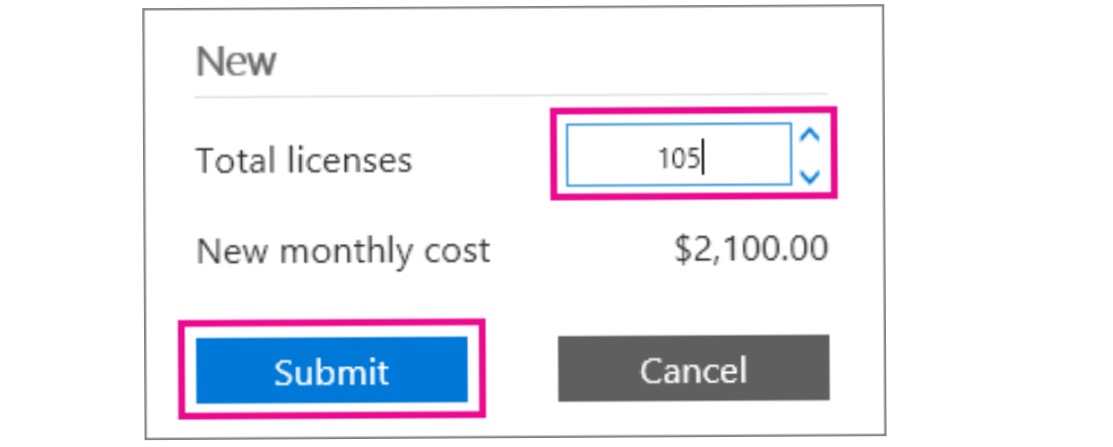
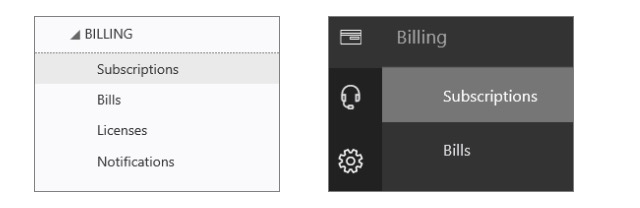
Cum adaugam licente de mailbox in Office365! Data 11/05/2016 Autor Ionut Te. Categorie E-mail -21 1007 Configurare noua (How To) SituatieIn caz ca nu se mai pot crea mailboxuri pe office365 pentru ca nu mai exista licente se pot adauga noi licente urmand pasii : Solutie Pasi de urmat Selectati casuta de mai jos si alegeti Admin>Billing>Subscriptions In sectiunea Total licenses , mai adaugati numarul de licente de care aveti nevoie ! Tip solutiePermanent Voteaza Up Down (13 din 47 persoane apreciaza acest articol) ShareTweetShare Despre Autor Ionut Te. Solutii Asemanatoare Cum rezolvam eroarea: ScanPST is not fixing PST File 0 Cum stergi New Outlook din windows 10 -5 Gestionarea permisiunilor pe foldere cu PowerShell pe Exchange 3 Teams meeting button is missing -10 Cum adăugați un calendar partajat(Shared) în Outlook 0 Adăugarea permisiunilor de calendar în Microsoft 365 și Exchange cu PowerShell 2 Leave A Comment? × Cancel Reply Save my name, email, and website in this browser for the next time I comment. × 4 = thirty two

Leave A Comment?