
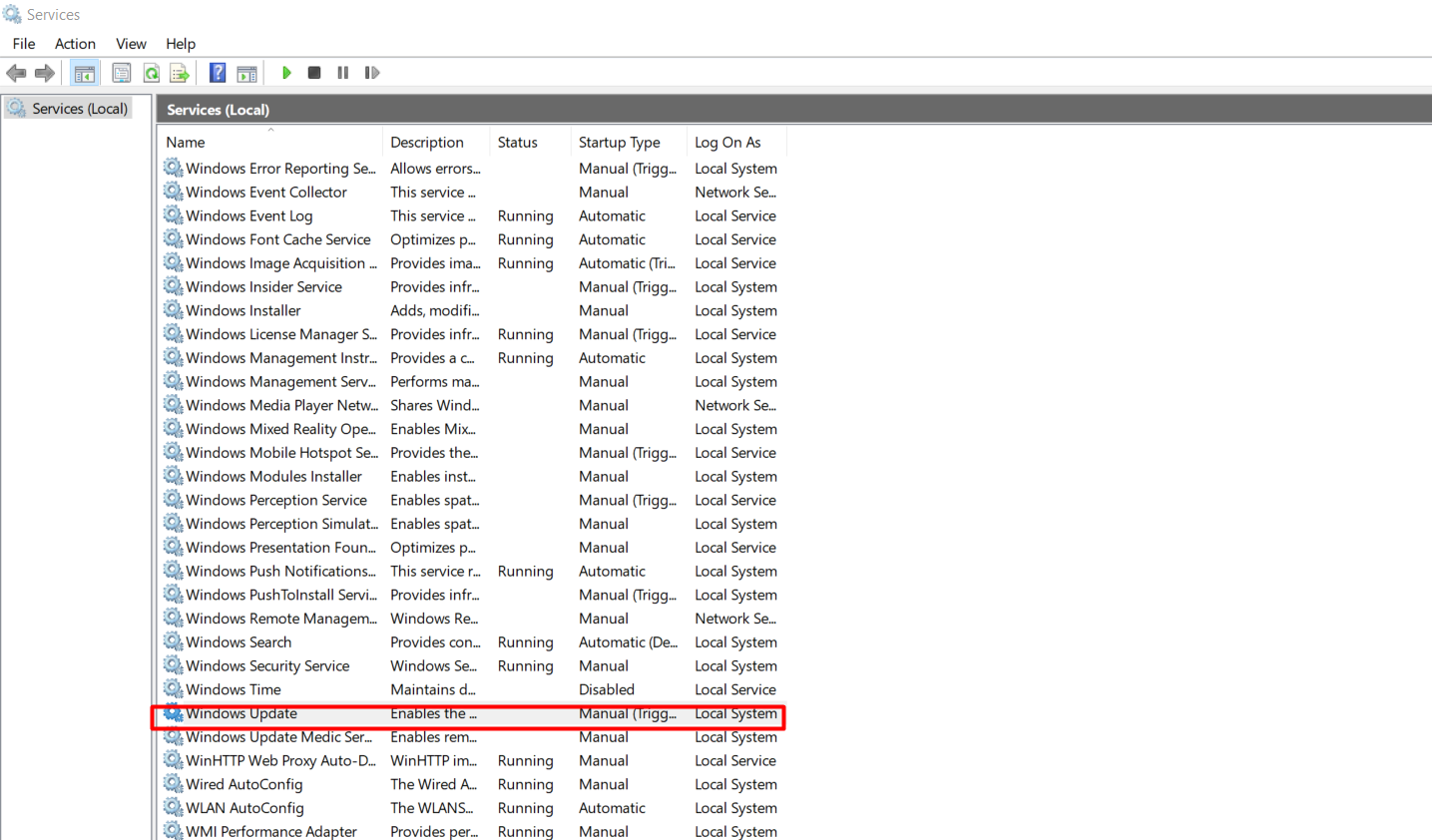
Cum opresti toate update-urile pentru Windows 10 in 2024 Data 27/03/2024 Autor Andrei Muntianu Categorie OS - Windows, Soluții -4 454 Configurare noua (How To) SituatieAnumite aplicatii au nevoie de un anumit build de Windows pentru a putea rula anumite programe. Solutie Pasi de urmat Dupa instalarea build-ului dorit intram in Services si cautam Windows Update: Click Dreapta pe Windows Update si Properties, iar la Startup Type selectam Disable, Aplly si Ok: Tot in Services cautam Update Orchestrator Service si reluam pasii de la Windows Update. Tip solutiePermanent Etichetare: updatewindows update Voteaza Up Down (21 din 46 persoane apreciaza acest articol) ShareTweetShare Despre Autor Andrei Muntianu Solutii Asemanatoare How to clean temporary files on Windows 11 -6 Cum deschidem un RDP in full screen folosind Command Prompt in Windows 10 0 Cum deschidem fereastra Sound folosind Run in Windows 10 2 How to enter text with your voice on a Chromebook 8 Can’t Delete a Windows File or Folder? 1 Top 10 Linux Easter Eggs 7 Leave A Comment? × Cancel Reply Save my name, email, and website in this browser for the next time I comment. six − 3 =
Leave A Comment?