
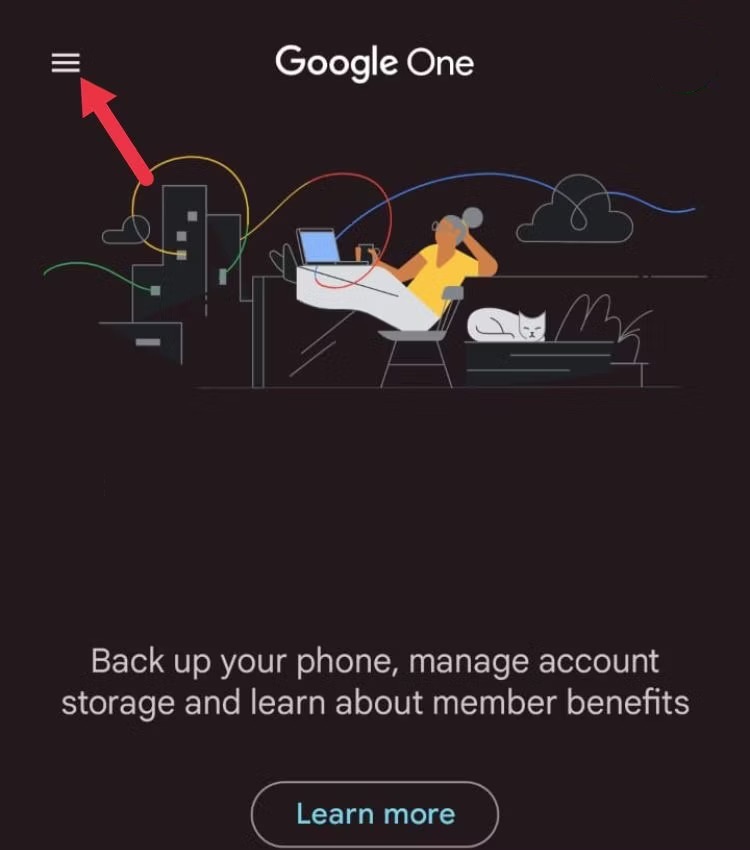
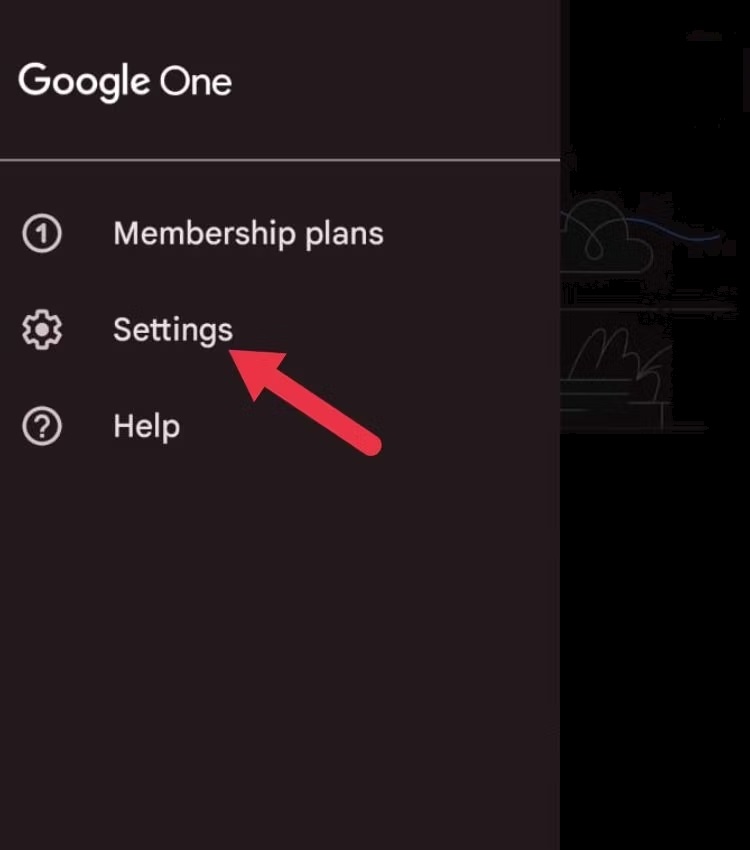
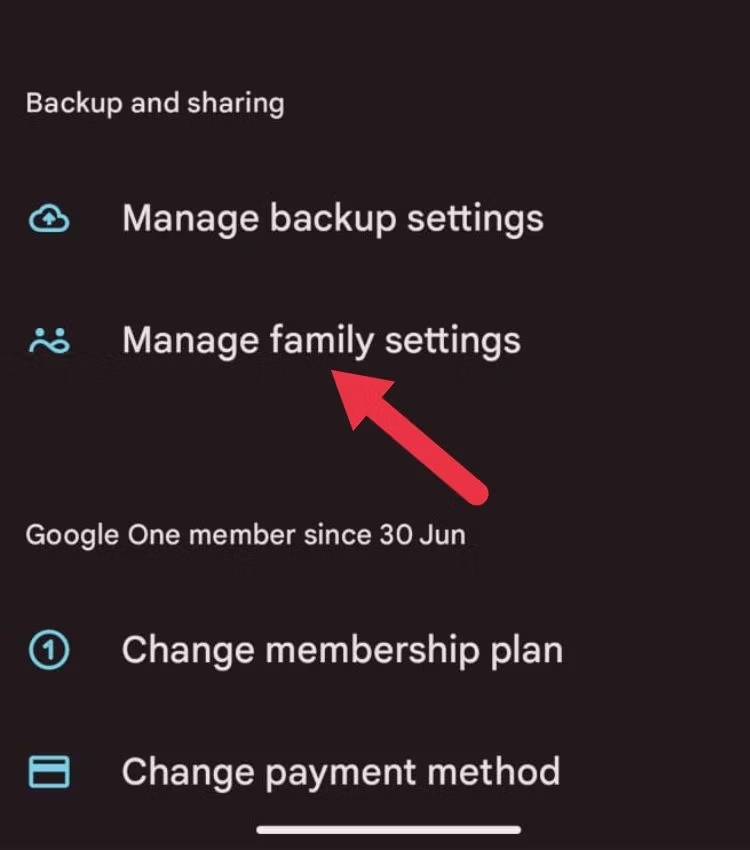
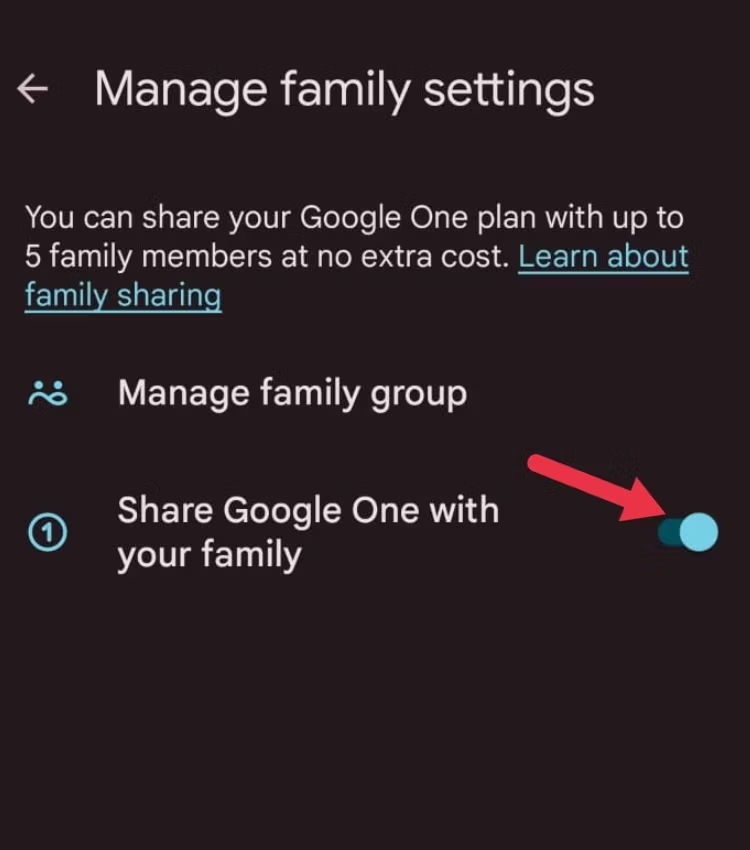
Cum partajați spațiul de stocare Google One utilizand aplicatia mobila Data 31/10/2023 Autor preda silviu Categorie Soluții 1 228 Configurare noua (How To) Situatie Solutie Pasi de urmat Deschideți aplicația Google One și atingeți bara laterală din partea stângă Faceți click pe „Settings” Accesați „Manage family settings” sub „Backup and sharing” Comutați butonul „Share Google One with your family” la pornit. Tip solutiePermanent Voteaza Up Down (17 din 35 persoane apreciaza acest articol) ShareTweetShare Despre Autor preda silviu Solutii Asemanatoare Cum deschidem un RDP in full screen folosind Command Prompt in Windows 10 2 Cum deschidem fereastra Sound folosind Run in Windows 10 2 How to enter text with your voice on a Chromebook 11 Can’t Delete a Windows File or Folder? 0 Top 10 Linux Easter Eggs 2 How to fix – Reading a File: Permission Denied on Linux 10 Leave A Comment? × Cancel Reply Save my name, email, and website in this browser for the next time I comment. + eight = seventeen
Leave A Comment?