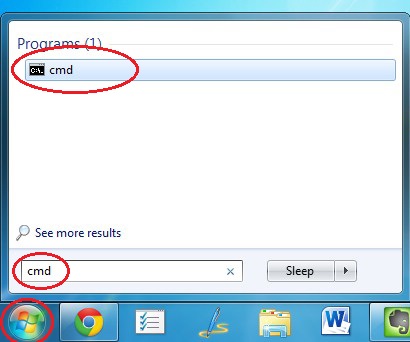
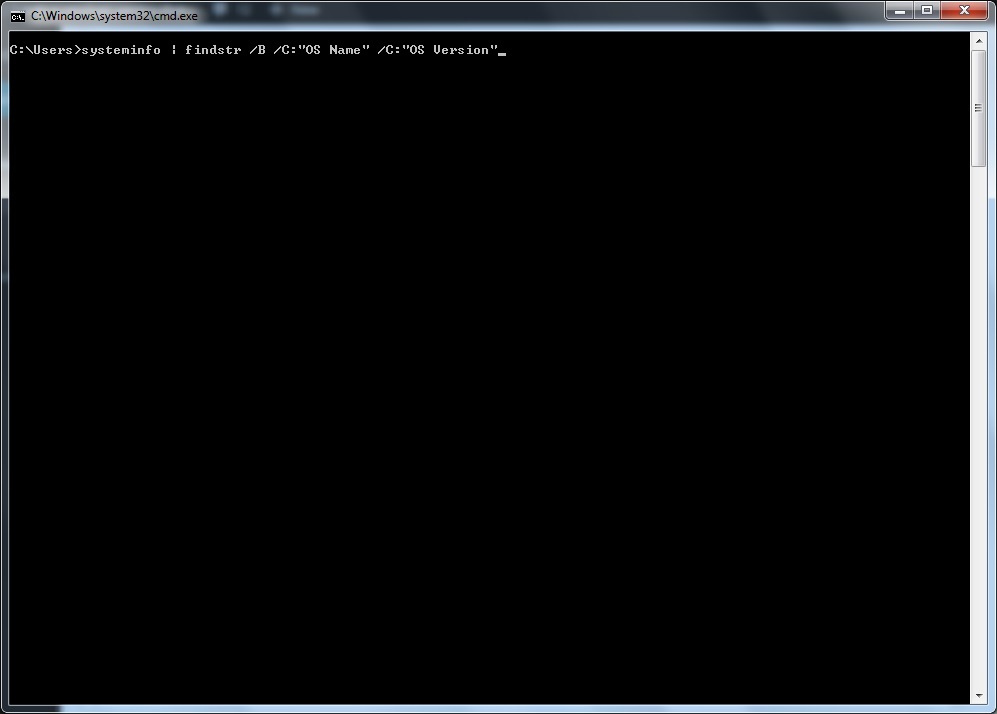
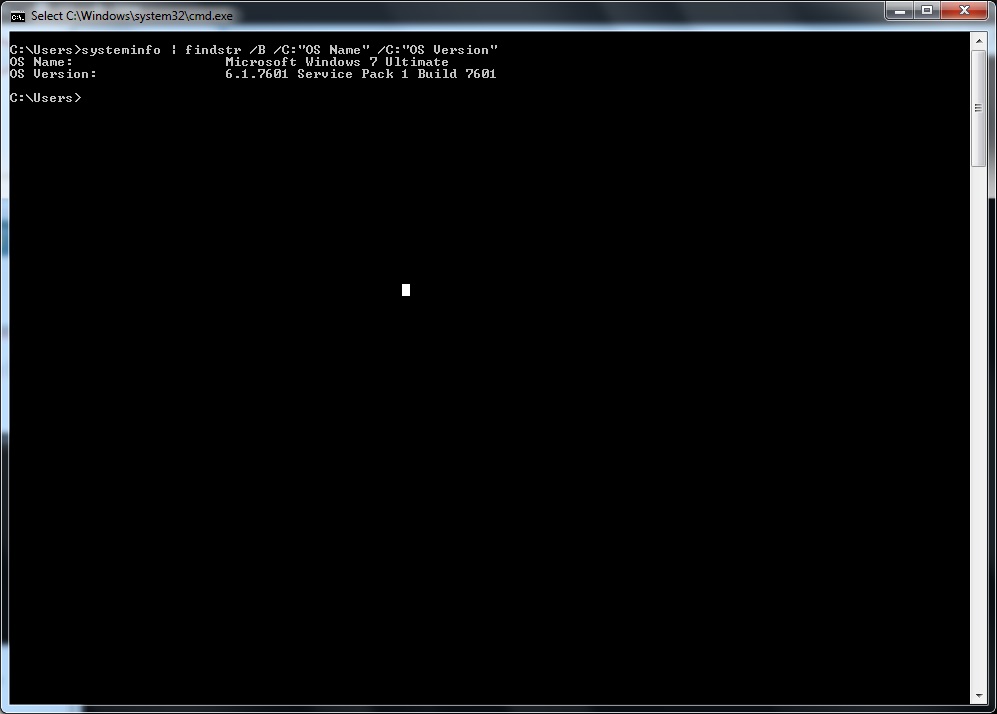
Cum sa afli versiunea sistemului tau windows Data 20/07/2015 Autor Emil E Categorie Depanare, OS - Windows, Stații de lucru -19 1863 Configurare noua (How To) SituatieCum sa afli versiunea sistemului tau windows Solutie Se intrat in start run cmd In cmd se tasteaza: systeminfo | findstr /B /C:”OS Name” /C:”OS Version” Se da enter Tip solutiePermanent Voteaza Up Down (20 din 59 persoane apreciaza acest articol) ShareTweetShare Despre Autor Emil E Solutii Asemanatoare How to clean temporary files on Windows 11 0 Cum deschidem un RDP in full screen folosind Command Prompt in Windows 10 1 Cum deschidem fereastra Sound folosind Run in Windows 10 2 Cum pot activa modul Dark in Microsoft Office? -2 Cum pot rezolva problema cu conexiunea la retea in Windows 10? 4 Reducerea deseurilor rezultate din echipamente electronice (e-waste): corectarea software a disfunctionalitatilor butoanelor perifericelor -3 Leave A Comment? × Cancel Reply Save my name, email, and website in this browser for the next time I comment. three + 8 =
Leave A Comment?
