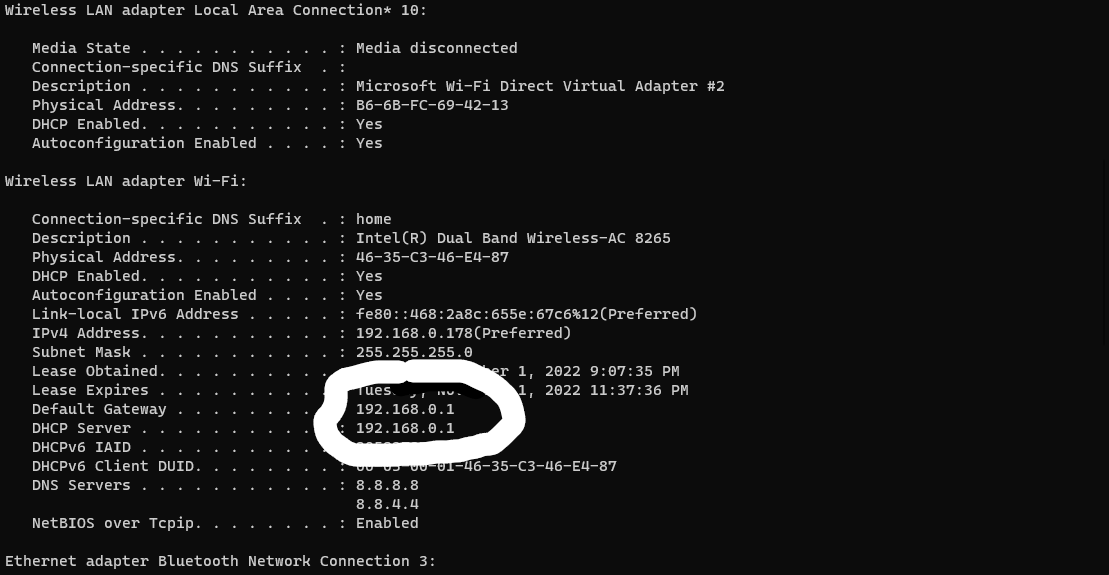
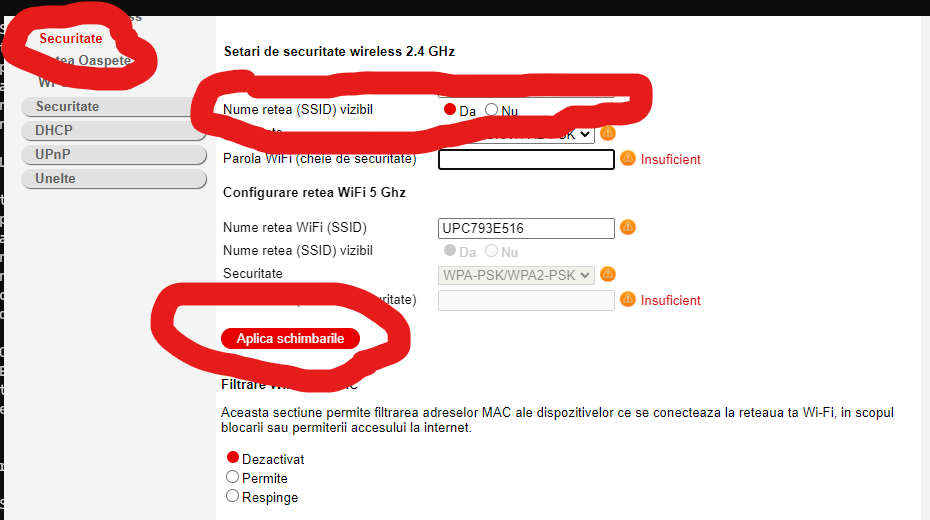
Cum se activează / dezactivează WPS router CH7465VF Data 01/11/2022 Autor razvan martes Categorie Networking, Wireless -14 3091 Configurare noua (How To) Situatie1. Accesam interfata grafica a router-ului 2.Accesam Setari Avansate —>Fara fir–Securitate 3. La Numele retea(SSID) vizibl selectam nu—> Aplica schimbarile. Solutie Tip solutiePermanent Voteaza Up Down (40 din 94 persoane apreciaza acest articol) ShareTweetShare Despre Autor razvan martes Solutii Asemanatoare Motive pentru care routerul poate pierde toate setările 4 Activare Wireless Multicast forwarding pe TP-Link Archer AX10 -8 Port Security vs. Cisco Identity Services Engine (ISE) -2 Dezactivare WPS pe TP-Link Archer AX10 -10 Dezactivare IPv6 pe TP-Link Archer AX10 -6 Setare AP Isolation pe TP-LINK ARCHER AX10 -1 Leave A Comment? × Cancel Reply Save my name, email, and website in this browser for the next time I comment. two − two =
Leave A Comment?
