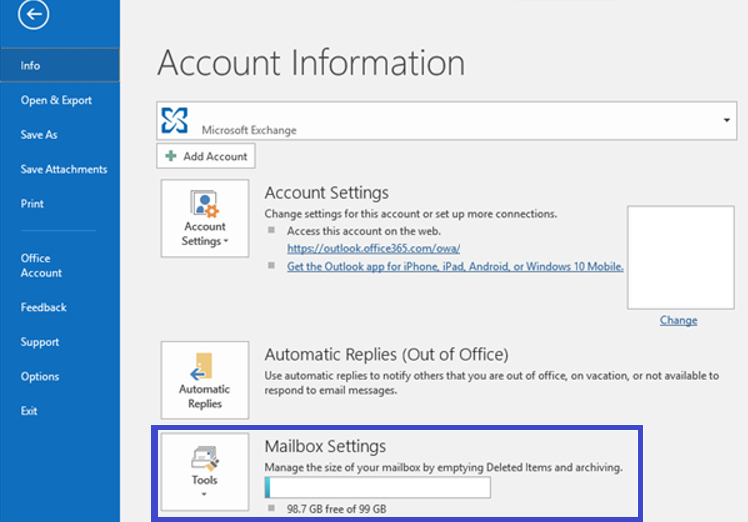
Cum verifici dimensiunea casutei de mesaje in MS Outlook Data 03/06/2019 Autor Gherghe Robert Petre Categorie E-mail -4 1044 Configurare noua (How To) SituatieCea mai simpla cale de a verifica dimensiunea casutei de mesaje in Outlook este urmatoarea: Solutie Mergeti pe : File > Info > Mailbox Settings: Tip solutiePermanent Voteaza Up Down (18 din 40 persoane apreciaza acest articol) ShareTweetShare Despre Autor Gherghe Robert Petre Solutii Asemanatoare Cum rezolvam eroarea: ScanPST is not fixing PST File 0 Cum stergi New Outlook din windows 10 -4 Gestionarea permisiunilor pe foldere cu PowerShell pe Exchange 3 Teams meeting button is missing -9 Cum adăugați un calendar partajat(Shared) în Outlook -1 Adăugarea permisiunilor de calendar în Microsoft 365 și Exchange cu PowerShell 2 Leave A Comment? × Cancel Reply Save my name, email, and website in this browser for the next time I comment. − 3 = four
Leave A Comment?
