Situatie
Problema DNS pe MAC.
Solutie
1.Deschidem spotlight din dreapta de sus a ecranului
2.Tastam: terminal
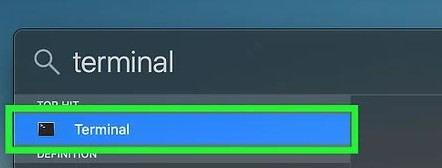
3.Deschidem terminal
4.Introducem urmatoarea comanda: sudo killall -HUP mDNSResponder
5.Restart device.

Soluții pentru problemele tale IT
Problema DNS pe MAC.
1.Deschidem spotlight din dreapta de sus a ecranului
2.Tastam: terminal
3.Deschidem terminal
4.Introducem urmatoarea comanda: sudo killall -HUP mDNSResponder
5.Restart device.
Leave A Comment?