
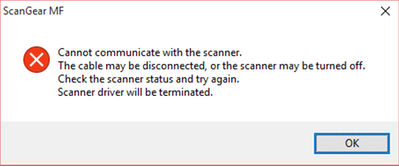
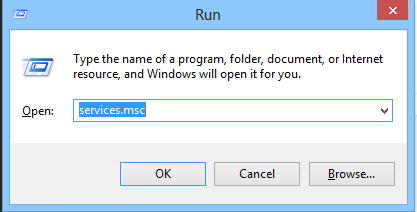
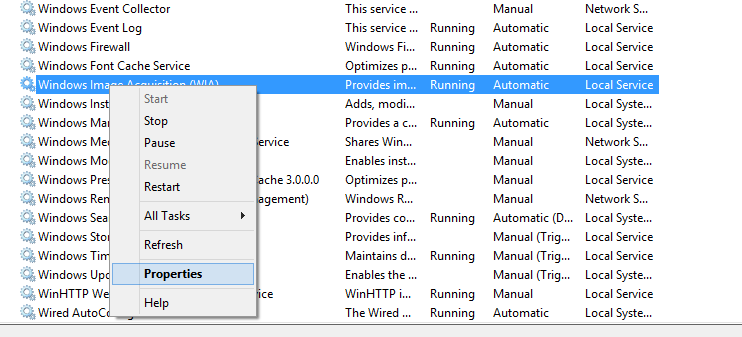
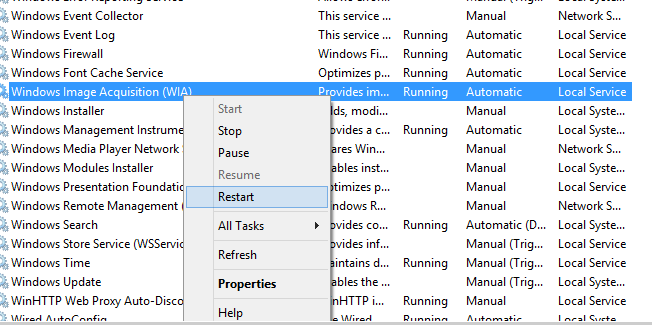
Scannerul Canon nu functioneaza pe Windows 10 Data 20/06/2016 Autor Cristian V Categorie OS - Windows 0 1879 Rezolvare problema (Fix IT) SituatieDupa update-ul la Windows 10, scannerul Canon nu mai functioneaza Solutie Pasi de urmat Apasam WIN+R si scriem services.msc Cautam Windows Image Acquisition (WIA), dam click dreapta si selectam properties Selectam tab-ul Log On si setam Log On as : Local System Account si bifam Allow to interact with desktop Restartam serviciul Tip solutiePermanent Etichetare: askitaskit.roLog OnScannerul CanonScannerul Canon nu functioneaza pe Windows 10Services.mscWIN+Rwindows 10Windows Image Acquisition Voteaza Up Down (27 din 55 persoane apreciaza acest articol) ShareTweetShare Despre Autor Cristian V Solutii Asemanatoare How to clean temporary files on Windows 11 -6 Cum deschidem un RDP in full screen folosind Command Prompt in Windows 10 1 Cum deschidem fereastra Sound folosind Run in Windows 10 1 Cum pot activa modul Dark in Microsoft Office? 0 Cum pot rezolva problema cu conexiunea la retea in Windows 10? 1 Reducerea deseurilor rezultate din echipamente electronice (e-waste): corectarea software a disfunctionalitatilor butoanelor perifericelor -3 Leave A Comment? × Cancel Reply Save my name, email, and website in this browser for the next time I comment. + 5 = 12
Leave A Comment?