Cum dezactivam MFA din Office 365 cu PowerShell
Un user si-a pierdut telefonul de pe care se autentifica cu MFA. Trebuie dezactivat si setata pe alt dispozitiv.
[mai mult...]Soluții pentru problemele tale IT

Un user si-a pierdut telefonul de pe care se autentifica cu MFA. Trebuie dezactivat si setata pe alt dispozitiv.
[mai mult...]Intr-o lume in care chatGPT este cheia tot mai multor probleme este util sa-l ajutam si sa-l configuram astfel in cat sa ne ajute cat mai mult in treaba noastra de zi cu zi, mai ales la serviciu unde de multe ori avem nevoie de date exacte si corecte.
[mai mult...]O adresa de mail a unui user din cadrul unei companii este folosita pentru networking. Nu se doreste la crearea unei adrese noi de mail pentru contactarea a mai multor clienti, motiv pentru care se doreste transformarea acesteia intr-un Share mail box.
[mai mult...]Ați cumpărat vreodată telefoane Cisco Voip recondiționate? Poate că un alt birou de teren îi trimite înapoi la sediul central și este treaba ta să te asiguri că sunt în stare de funcționare. Poate că firmware-ul ar putea fi vinovatul unui dispozitiv care funcționează prost în timpul testării.
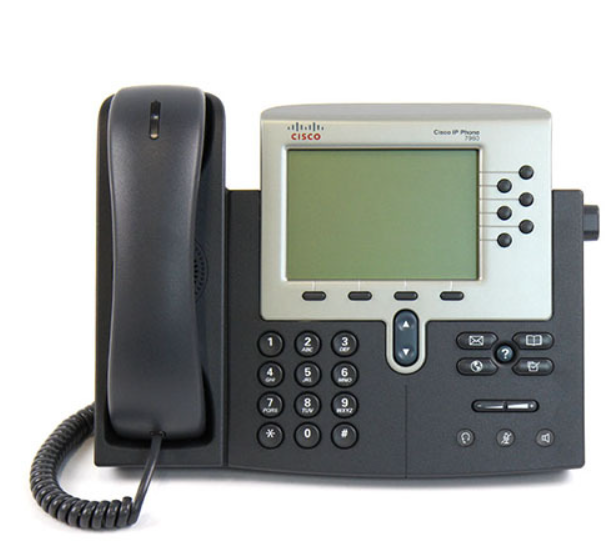
Încercați această resetare simplă.
[mai mult...]Whether you’ve outgrown your college email address and you want a professional one, or you want to change your firstname.maiden account to firstname.marriedname one, we’ve got you covered with a start-to-finish Google migration guide.
So much is contained within a Google account–emails, photos, files, contacts, your personal calendar, etc.—you probably don’t want to walk away from it and start over just for a new account name. In this tutorial we’re going to walk you through transferring every single transferable element of your old Google account to your new account in order to save you from re-entering all your old data or, worse, losing it.
In order to follow along with every section of the tutorial you’ll need the following things.
For the section detailing how to migrate your Gmail emails, attachments, and chat logs you’ll need:
It’s possible to perform the steps in the Gmail backup-and-restoration section without Thunderbird using a different IMAP capable email client, but the process with Thunderbird is so easy (and there’s even a helper extension) that we cannot recommend it enough.
Before we proceed, there are a few things you need to be aware of that are so important they merit more emphasis than just a little note at the bottom of the prior section.
Although Google has introduced some really great improvements to the portability of data in their services and even mechanisms for directly transferring content from one account to another in some cases, there is no simple one-click process for dumping the contents of one Google account into another.
Furthermore, some of the processes used to transfer data from one Google account to another are destructive in that once you authorize Google to transfer the account data from your old account to your new account, it is permanently removed from the old account. At any point that you will be performing a one-way transfer of data, Google will warn you multiple times before it takes effect.
That said, we’ve used this entire battery of techniques to migrate multiple Google accounts and never had a single hiccup in the process (big or small). Still, read carefully and always make sure you’re working from the old account to the new account (and never in reverse).
“Safe Mode” is a special diagnostic mode that runs the Android operating system with third-party apps disabled. Essentially, only the apps and services that were pre-installed on the phone will be available in Safe Mode. The same can be done on a Windows or Mac PC.
This allows you to troubleshoot your device. If you’re experiencing crashes, freezes, or battery life issues, you can boot into Safe Mode and see if the issues still happen. If you notice that everything is running fine in Safe Mode, that probably means the source of the problem is a third-party app.